






Full Review

Auracast adventures, soccer celebrations, and proof that sometimes good things come in thoughtfully designed sizes.
Quick Take
For readers who want the highlights:
Best For:
People who want powerful automatic noise management but still appreciate having easy app controls when life gets messy.
What Stood Out:
Auracast connectivity was remarkably simple and offered a glimpse into what I genuinely believe is one of the most exciting developments in hearing technology.
My Favorite Feature:
The ability to quickly switch between Noise Filter and Speech Clarity depending on the listening environment.
One Thing to Consider:
While speech performance impressed me, streaming music sounded somewhat flat and lacked the richer bass response I've experienced with some competing products.
The Real-World Test
My Review Philosophy
Before we begin, a quick disclaimer: I don't have hearing loss. As an audiologist, however, I spend my days fitting, programming, troubleshooting, and evaluating hearing technology. That gives me a unique perspective on sound processing, Bluetooth performance, user experience, and app functionality.
Rather than sitting in a lab, I put hearing aids through everyday situations that many users encounter:
- Restaurants
- Outdoor walks
- Phone calls
- Music streaming
- Fitness activities
- Social gatherings
- Quiet moments at home
Because hearing aids aren't worn in a test box. They're worn in real life.
Soundscape #1: Why Auracast Has Me Genuinely Excited
I've watched ReSound introduce several industry-changing technologies over the years. From early 2.4 GHz wireless connectivity to being among the first manufacturers embracing Auracast, they've consistently shown a willingness to push innovation forward.
Now, Auracast deserves an entire educational blog of its own, but it would be impossible to review these hearing aids without talking about it.
The simple version?
Imagine walking through an airport and connecting directly to announcements.
Imagine attending a museum and streaming the guided tour directly into your ears.
Imagine enjoying a theater performance without struggling to hear dialogue from your seat.
The possibilities are exciting, and importantly, they aren't limited to hearing aid users.
The Auracast Test: Click → Join → Enjoy
Ironically, my first opportunity to test Auracast wasn't at an airport, museum, or theater.
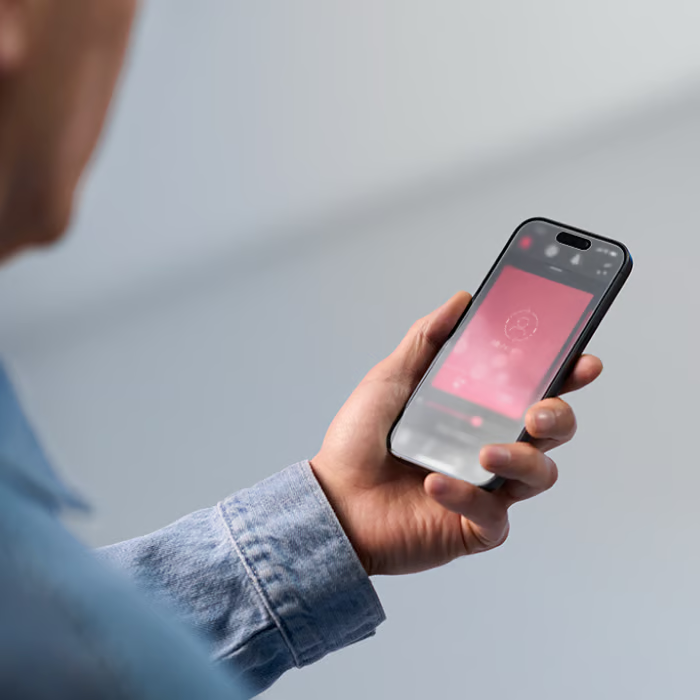
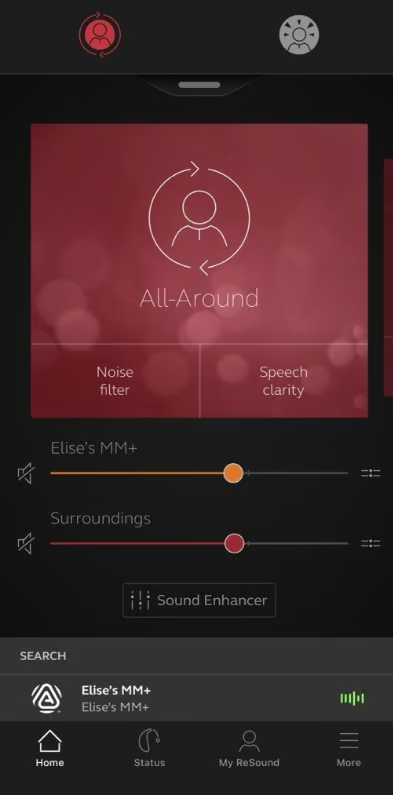
It was at a ReSound training dinner. Not exactly the glamorous setting I envisioned. Still, it proved to be one of the most impressive experiences during my evaluation. Connecting to the broadcast felt remarkably familiar. Think of selecting a Wi-Fi network. I opened the app, found the broadcast, connected, and was listening almost immediately.
No instructional video.
No scavenger hunt through menus.
No need to call the tech-savvy family member.
Just:
Click → Join → Enjoy.
The real benefit became apparent once the presentation started. Regardless of where the presenter stood in the room or what direction they were facing, their voice arrived directly in my hearing aids. Distance became much less relevant. Background noise became much less relevant. The speaker simply sounded clear.
Even better, I could adjust the balance between the broadcast and my surroundings. If I wanted to hear more of the presenter, I increased the broadcast level. If I wanted to chat with someone sitting beside me, I backed it down.
And when I was done?
Disconnecting was seamless and the hearing aids immediately returned to normal operation.
Exactly the way technology should work.
Soundscape #2: Dinner on the Deck
Naturally, every hearing aid review needs a restaurant visit.
At this point, with the number of restaurant meals I've conducted "for science," I may need to launch a second blog reviewing local dining establishments.
This particular test involved outdoor seating on a hot summer day.
Translation?
Fans running full blast behind us.
Perfect.
ReSound's AcoustiQTM processing had an opportunity to earn its paycheck.
What I noticed was the system first recognizing the level of environmental noise. Then, as the fan noise increased behind me, my husband's voice became the dominant focus.
The AI-driven processing responded with aggressive noise reduction.
The result was less listening effort and a more comfortable conversation.
Most importantly, this happened automatically.
No button pressing.
No app adjustments.
No intervention from me.
That's exactly what many wearers want.
A Reminder That Sound Is Complicated
One thing I consistently discover when testing hearing aids is that no environment behaves exactly the same.
Even the same restaurant can be completely different depending on:
- Time of day
- Seating location
- Number of people
- Type of background noise
That's why hearing aid reviews rarely have simple "good" or "bad" answers.
While automatic processing worked beautifully in some situations, there were others where I preferred taking control myself.
Thankfully, ReSound gives users that option.
Soundscape #3: My Soft-Spoken Husband vs. Road Noise
My husband unknowingly became one of my official sound tests.
The poor man probably doesn't realize he's being evaluated by hearing aids.
During a drive, road noise became increasingly noticeable.
Unfortunately, my husband is also naturally soft spoken.
Road noise plus a soft-spoken conversation partner is a listening challenge even before hearing aids enter the equation.
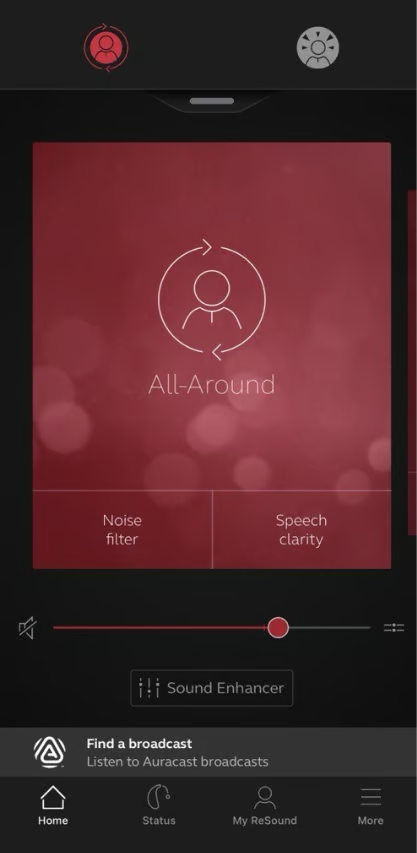
This is where ReSound's Noise Filter feature impressed me.
With a quick tap in the app, the background noise eased and speech became noticeably more accessible.
The reduction in listening effort was immediate.
And frankly, after a long day, reducing effort is sometimes the best feature of all.
Soundscape #4: A Professional Soccer Match
If the restaurant tested hearing aids in controlled chaos, the soccer stadium tested them in complete chaos.
Cheers.
Chants.
Air horns.
Goal celebrations.
More cheers.
Then somehow even louder cheers.
During the active moments of the game, Noise Filter became my best friend.
But anyone who has attended a sporting event knows there are also pauses. Referees deliberate. Play stops. Conversations start.
Suddenly hearing the people around you becomes more important than suppressing crowd noise.
That's where the Speech Clarity feature earned its place.
What I appreciated most wasn't necessarily one feature or the other.
It was the speed.
One quick adjustment and the hearing aids adapted to whatever was happening around me.
Even better, I could create and save a customized program for future sporting events.
Because let's be honest: if I've finally found the perfect balance between soccer fans, game commentary, and conversations with friends, I don't want to reinvent that wheel every time.
Small Hearing Aid, Big Technology
I don't often dedicate an entire section to hearing aid size.
Most modern receiver-in-canal devices are already compact and comfortable.
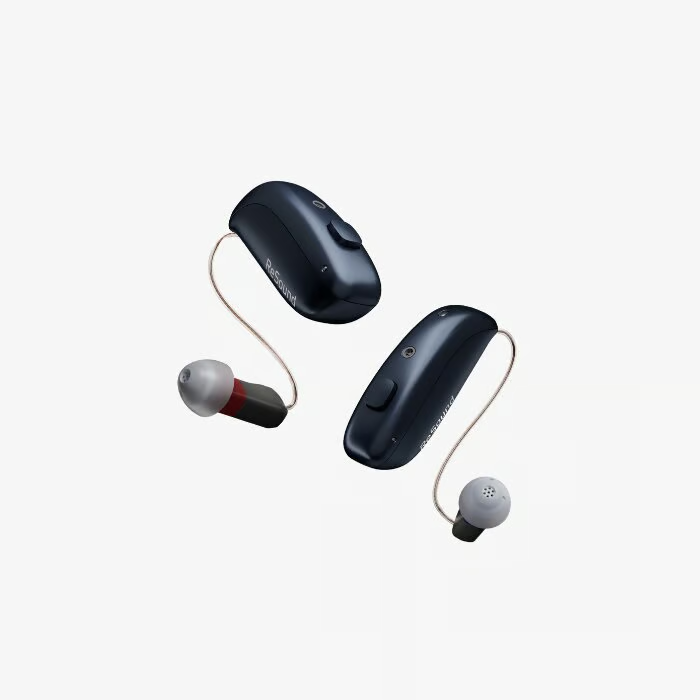
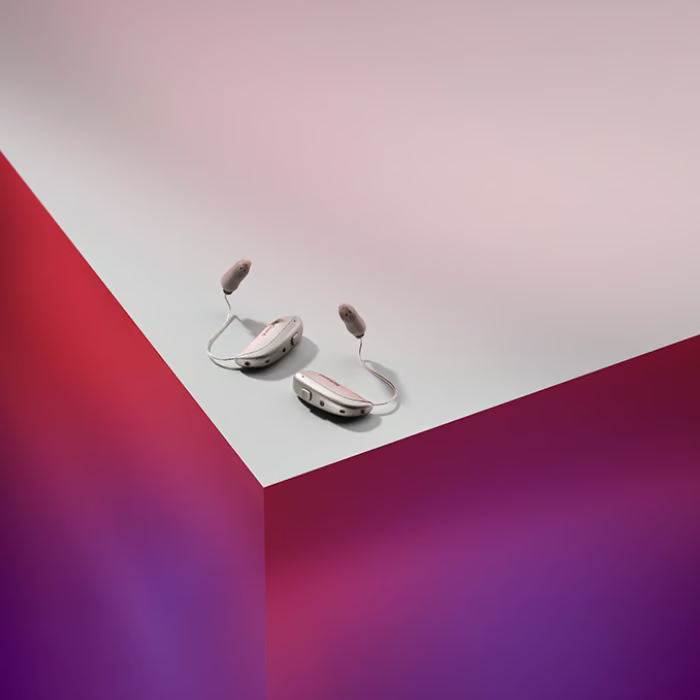
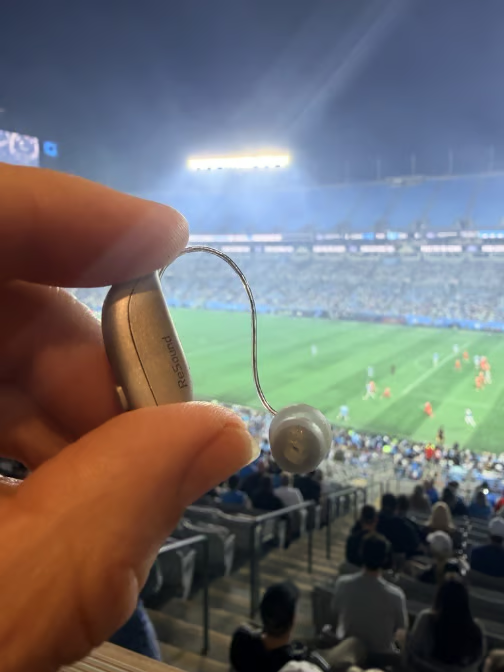
But ReSound is marketing Sensia as the world's smallest AI hearing aid, and it truly is impressively small.
Honestly, it's difficult to comprehend how much technology is packed into such a tiny device.
The tradeoff?
Physics still exists.
Smaller hearing aids mean smaller components.
Smaller components mean cleaning wax guards and changing domes can require a bit more dexterity.
It's neither a flaw nor a deal-breaker.
It's simply the reality of packing advanced technology into a very small space.
What I Loved
✅ Excellent automatic noise reduction
✅ Intuitive app controls
✅ Easy Auracast connectivity
✅ Ability to personalize and save listening programs
✅ Compact size and comfortable fit
✅ Strong speech understanding in challenging environments
What Could Be Better
While speech-focused performance impressed me, streaming media was not my favorite aspect of these hearing aids.
Music is intensely personal, so opinions will vary.
For my listening preferences, streamed content sounded flatter than some competing products I've evaluated.
The sound lacked some of the richness and bass presence that helps music feel full and immersive.
For podcasts, phone calls, and general streaming, this may be perfectly acceptable.
For dedicated music lovers, it's an area worth auditioning personally.
Final Verdict
ReSound Sensia demonstrates what happens when innovation meets usability.
The headline feature may be Auracast, and rightfully so. It offers a glimpse into a future where accessibility becomes seamlessly integrated into everyday public spaces.
But what impressed me most was how practical the hearing aids felt day to day.
Whether I was sitting on a noisy restaurant deck, riding in a car, attending professional soccer matches, or connecting to an Auracast broadcast, the hearing aids consistently provided tools that helped me adapt to changing environments.
And perhaps that's the biggest takeaway.
Life doesn't happen in predictable listening situations.
Neither should hearing aids.
I'd Love to Hear From You
Have you tried ReSound hearing aids or experienced Auracast technology?
What's one listening situation where you wish hearing was easier?
Whether it's dinner with friends, watching sports, attending concerts, or simply hearing conversations in the car, I'd love to hear your stories and experiences. Some of the best insights come from real-world users navigating real-world soundscapes. Drop me a note kristina@soundly.com
Prescription Hearing Aids: Programmed using manufacturer first-fit settings with a flat 40 dB hearing loss configuration and occluded ear tips.
Additional Programming: One to two supplemental manual programs were added when available, typically Speech in Noise and Music, unless those settings were already included by default.
Evaluation Period: Approximately 3-4 days of cumulative wear time across multiple listening environments.
Note: Individual experiences will vary depending on hearing loss, fitting parameters, listening preferences, lifestyle demands, and follow-up care provided by a hearing healthcare professional.