



Full Review

My voice, mini golf, movie night, and a hearing aid thatmade a very good first impression.
Quick Take
For readers who want the highlights:
Best For:
Someone who wants natural sound, strong connectivity options, and the ability to take more control when automatic processing isn't quite enough.
What Stood Out:
My own voice. Signia's Own Voice Processing technology made my voice sound remarkably natural from the moment I put the hearing aids on.
My Favorite Feature:
The ability to visually control microphone direction and focus within the Signia app.
One Thing to Consider:
The app provides some excellent ways to customize listening, but I missed having a traditional equalizer for making my own bass, mid, and treble adjustments.
Prefer to watch? Along with our audiologist’s clinical perspective, watch Blake’s video review for a consumer’s take on the hearing aid and the experience of wearing it day to day.
My Review Philosophy
Before we begin, a quick disclaimer: I don't have hearing loss. As an audiologist, however, I spend my days fitting, programming, troubleshooting, and evaluating hearing technology. That gives me a unique perspective on sound processing, Bluetooth performance, user experience, and app functionality.
Rather than sitting in a lab, I put hearing aids through everyday situations that many users encounter:
- Restaurants
- Outdoor walks
- Phone calls
- Music streaming
- Fitness activities
- Social gatherings
- Quiet moments at home
Because hearing aids aren't worn in a test box. They're worn in real life.
First Impression: Wait...Is That Really My Voice?
Sound quality is always one of the first things I evaluate when I put on a new pair of hearing aids.
And Signia surprised me.
There's sometimes a moment with hearing aids when your own voice sounds slightly different. Maybe mechanical. Maybe tinny. Maybe just enough to make you think:
"Do I really sound like that?"
We've all heard ourselves on a recording and immediately wondered who that stranger was.
With Signia MaX, I didn't have that reaction.
My voice sounded like my voice.
Signia has spent years developing Own Voice Processing, or OVP, specifically to address how a hearing aid wearer perceives their own voice. In previous generations, this involved a process during the fitting to identify the wearer's voice.
With MaX, AI plays a much bigger role, using its training to automatically recognize and manage the wearer's own voice.
My extremely scientific conclusion?
I like the sound of my own voice.
My family may have a different opinion, but we're reviewing hearing aids here.
Connectivity: Because Everything Talks to Everything Now
We live in a connected world.
Phones connect to cars. Watches connect to phones. Headphones connect to TVs. Somehow even my coffee maker connects to my phone.
Hearing aids need to keep up.
One thing I appreciate about MaX is the breadth of connectivity options, including Bluetooth Classic and Bluetooth LE Audio.
With my iPhone, I found the direct Bluetooth connection delivered excellent sound for both streaming and phone calls.
Having tested numerous hearing aids, I tend to notice subtle differences in streamed audio. To my ears, the Bluetooth Classic connection sounded particularly clean and stable.
Would everyone notice the difference?
Probably not.
Without something to compare it against, the difference may be completely insignificant.
But it's a detail I appreciated.
A Charger That Plays Nicely with My Life
Another small detail I really liked was the charger.
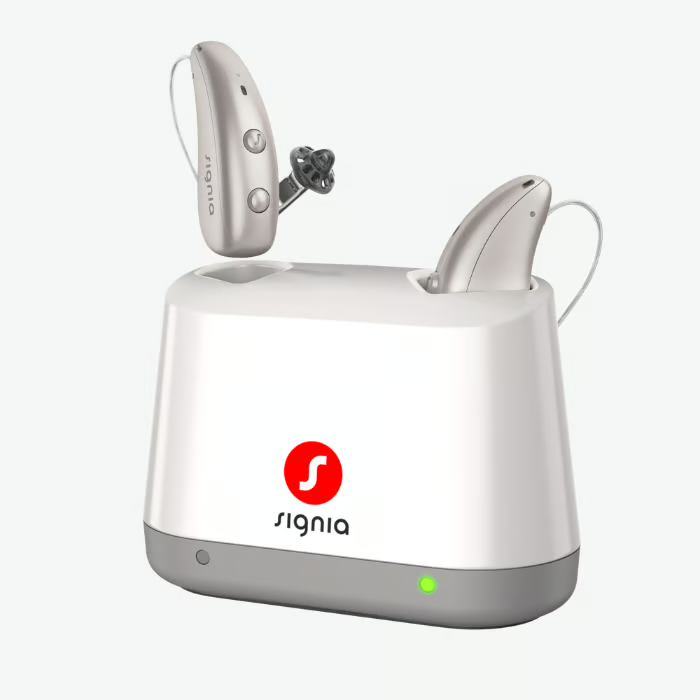
It's portable, which is already convenient, but it can also work with a compatible wireless charging pad. I was able to simply place it on my portable charging pad and let it charge.
No hunting for a cord or finding another outlet.
With wireless charging pads becoming increasingly common at home and on the go, I appreciate anything that makes keeping hearing aids charged just a little more convenient.
Sometimes good technology isn't about adding another flashy feature. It's about removing one small hassle from your day.
Auracast Ready...With an Asterisk
Auracast is becoming a recurring character in my Field Notes reviews, and that's a good thing.
The potential is enormous: theaters, airports, museums, and other public venues could eventually broadcast audio directly to compatible devices.
MaX includes hardware designed for Auracast support.
However, Auracast-ready doesn't necessarily mean Auracast-available today.
At the time of my testing, the functionality wasn't active for me to use.
So I'm putting this one in the:
"Very cool. Stay tuned."
category.
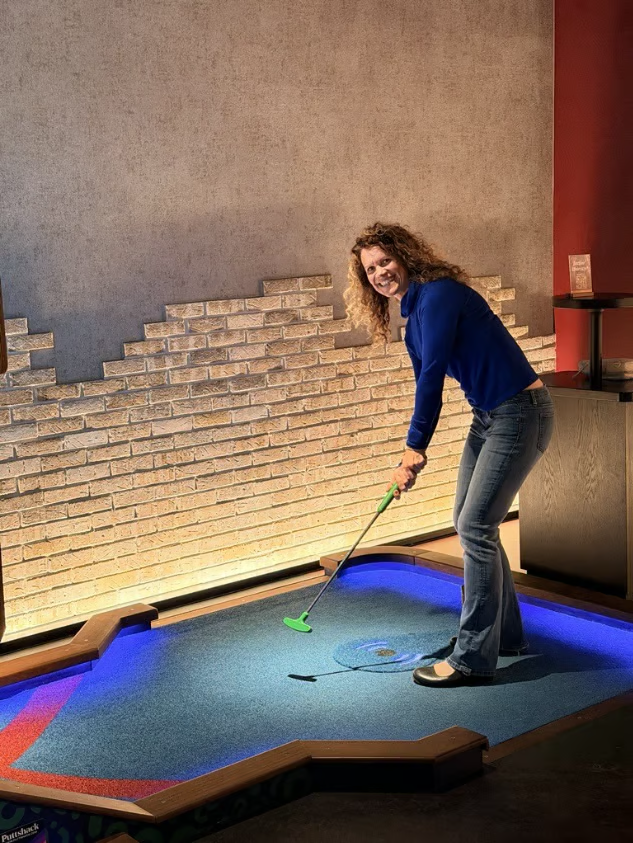
Soundscape #1: Putt-Putt Meets Real-World Noise
First test?
Indoor miniature golf.
Because obviously that's where all rigorous audiological research should take place.
I was with a group in an environment full of constantly changing sounds and, importantly, we weren't standing still.
People were moving.
Conversations changed directions.
The distance between speakers changed.
Background noise fluctuated.
In the automatic program, there were times when I couldn't catch every part of the conversation.
To be fair, I probably would have missed parts of those conversations without hearing aids too, particularly as distance increased.
What impressed me more was how smoothly the hearing aids reacted as the soundscape changed.
I didn't constantly notice the technology switching gears.
I could continue playing, interacting, and participating without feeling like the hearing aids were fighting the environment.
Sometimes seamless is more impressive than dramatic.
Soundscape #2: Outdoor Movie Night
My outdoor movie experience presented a different challenge.
This time I wasn't moving.
I was comfortably planted on the lawn.
The noise, however?
That was moving everywhere.
It was a family movie night, which means children, conversations, activity, and approximately 742 different sources of sound.
Okay, I didn't actually count.
But it felt accurate.
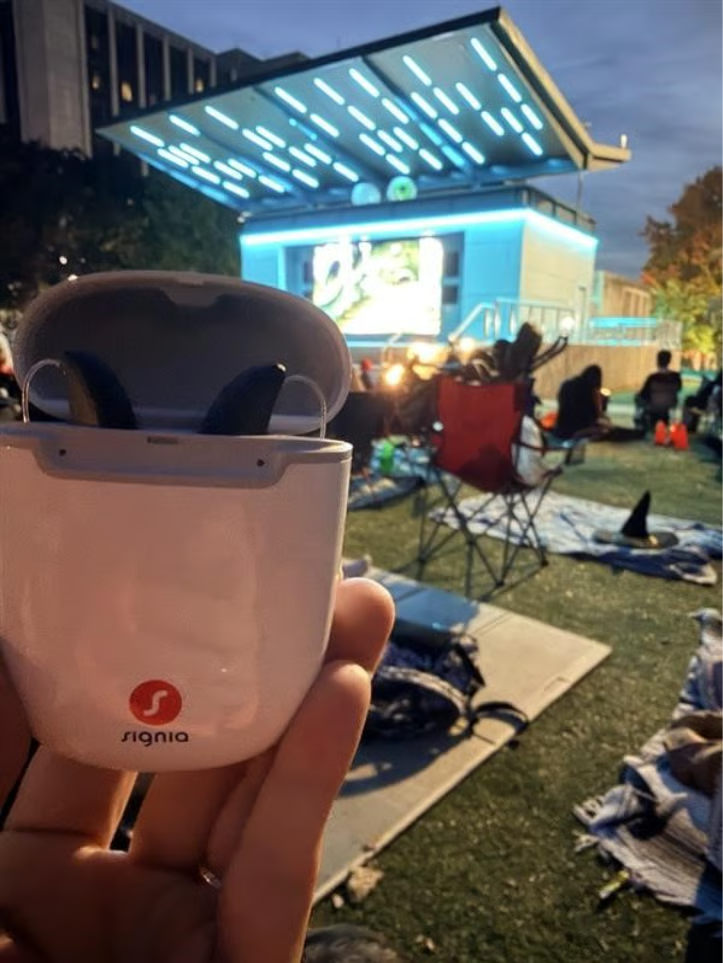
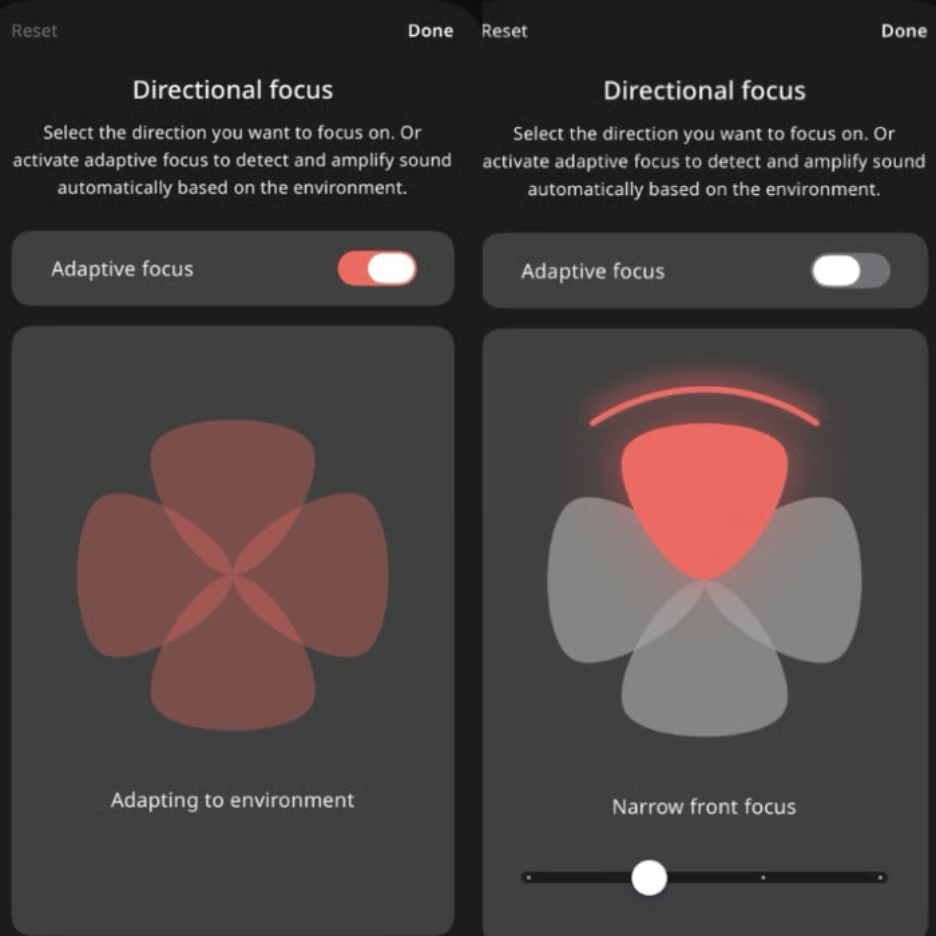
Here, the Signia app became the star of the show.
I could override the automatic microphone behavior and tell the hearing aids where I wanted them to listen.
Better still, I could adjust how wide or narrow that listening area should be.
Think of it like controlling a flashlight beam.
Wider beam: Brings in more of what's happening around me.
Narrower beam: Helps me concentrate more on the sound I care about.
The visual controls made this incredibly intuitive.
That's an important distinction.
Giving people advanced technology is great.
Making advanced technology understandable enough that they'll actually use it is better.
When Automatic Isn't Enough
This is something I keep coming back to with every product I test.
No two noisy environments are truly the same.
Even returning to the same restaurant can create a completely different listening situation.
Different table.
Different crowd.
Different seat.
Different day.
That's why I appreciate having both strong automatic processing and the ability to intervene when I want something different.
Signia did this particularly well.
One thing I did miss, however, was an equalizer that would let me independently adjust different frequency regions.
Is that a deal-breaker?
For me, no.
In fact, there's a Goldilocks argument here.
Too little customization can be frustrating.
Too much can become overwhelming.
Finding the "just right" amount is difficult because every hearing aid wearer's preferences are different.
Signia Assistant: AI, Can You Fix This?
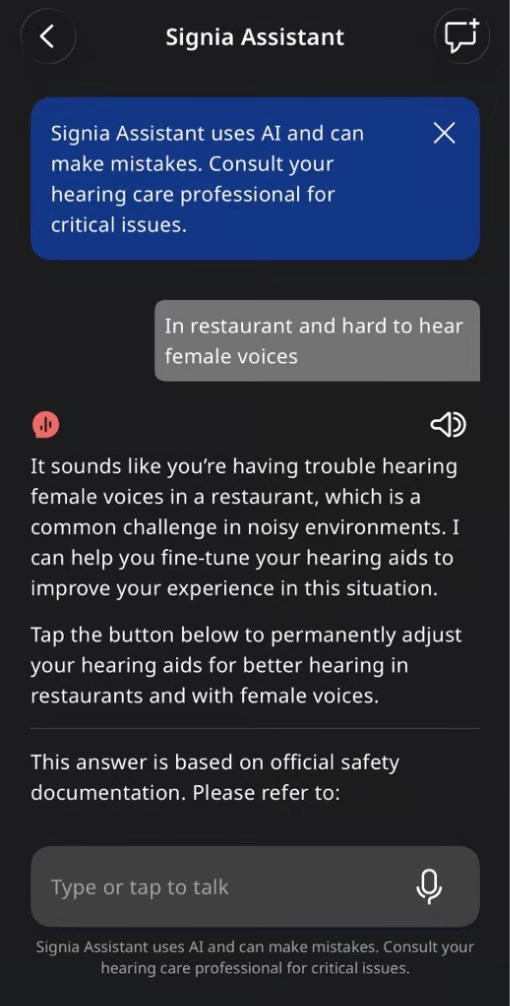
Another personalization tool I enjoyed was Signia Assistant.
Rather than requiring me to know how the hearing aids need to be adjusted, I could tell the assistant what I was experiencing.
It would then calculate an adjustment and give me the option to apply it.
If I didn't like the result?
I reverted it.
This is where I had to take off my audiologist hat for a moment.
Yes, I know how to program hearing aids.
No, I don't want to pull out a programming laptop in the middle of indoor putt-putt.
And neither should the average wearer.
Signia Assistant gives users an additional option to address a real-world listening problem when it actually happens.
It doesn't replace conversations with your hearing care professional. Persistent listening challenges are still valuable information to bring back to your provider.
But between visits?
It's a very useful tool to have in your pocket.
Literally.
What I Loved
✅ Exceptionally natural ‘own-voice’ experience
✅ Strong automatic adaptation as listening environments changed
✅ Excellent connectivity options
✅ Intuitive microphone direction and focus controls
✅ Signia Assistant for real-time personalization
✅ Portable and convenient charging
✅ Telecoil availability
What Could Be Better
The biggest omission for me was an equalizer within the app.
I appreciate the sophisticated automatic processing and AI-assisted personalization, but there are moments when I'd simply like to say:
A little more here. A little less there.
Users who enjoy manually shaping their sound may notice the absence more than someone who prefers to let the hearing aids handle most of the work.
And while Auracast capability is exciting, it's something to watch rather than a benefit I could truly evaluate during this review.
Final Verdict
I'll admit it.
Signia surprised me.
Historically, my educational and clinical experiences gave me less exposure to Signia than some other hearing aid manufacturers. Going into this test, I wasn't entirely sure what to expect.
I came away impressed.
The natural quality of my own voice made an immediate first impression, while the automatic processing, connectivity, app controls, and Signia Assistant showed their value once I started taking the hearing aids into noisier, messier, real-world environments.
They weren't perfect in every listening situation.
No hearing aid is.
But what impressed me was something perhaps more important: when automatic processing wasn't enough, Signia gave me intuitive tools to do something about it.
And after several days of wearing them, I discovered one more thing.
Apparently, I really do enjoy listening to myself talk.
Audiologist problem, perhaps?
I'd Love to Hear from You
Have you tried Signia hearing aids?
I'm especially curious about something I noticed immediately: How did your own voice sound when you first started wearing hearing aids?
Did it feel natural right away? Did it take some getting used to? Or was there another sound that surprised you completely?
I'd love to hear your story. Real-world experiences tell us things that specifications and feature lists simply can't. Share your own sound experiences with me at kristina@soundly.com

Prescription Hearing Aids: Programmed using manufacturer first-fit settings with a flat 40 dB hearing loss configuration and occluded ear tips.
Additional Programming: One to two supplemental manual programs were added when available, typically Speech in Noise and Music, unless those programs were already included by default.
Evaluation Period: Approximately 3 to 4 days of cumulative wear time across multiple real-world listening environments.
Reviewer Perspective: I am an audiologist without hearing loss. My observations reflect my professional evaluation of sound quality, hearing aid processing, usability and real-world performance rather than the experience of an individual with hearing loss.
Note: Individual experiences will vary based on hearing loss, ear acoustics, fitting parameters, listening preferences, lifestyle and professional programming.